First thing
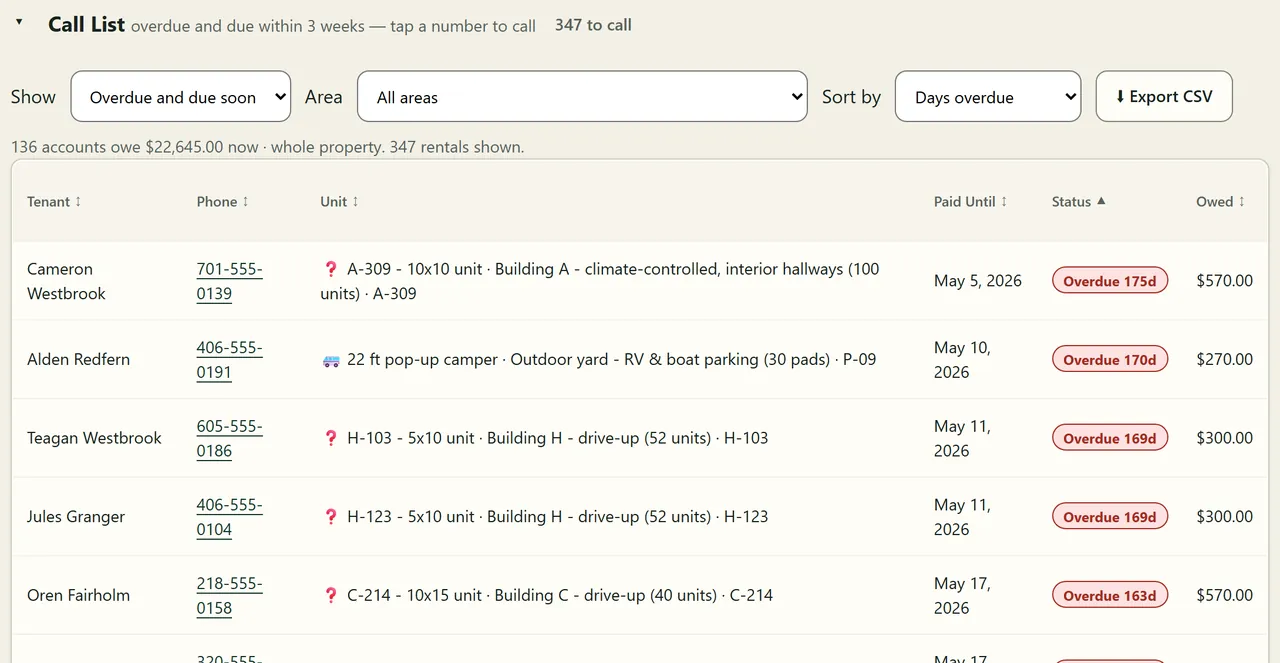
Who to call today.
Everyone who owes now or is due within three weeks, with tap-to-call numbers and the amount owed. Narrow it to one building.

Self-storage, RV and boat storage, marinas
Built for properties with a few hundred units, several buildings and people at the desk. See every unit, who has paid, and who to call today.
I use BayRoster to run Ben’s Farm, my own storage lot in Thompson, ND, today.
Setup depends mostly on moving your records over from the system you use now. Ben gives you a fixed quote once he has seen your current records.

The screens your staff work from, shown at the same fictional facility.
First thing
Everyone who owes now or is due within three weeks, with tap-to-call numbers and the amount owed. Narrow it to one building.
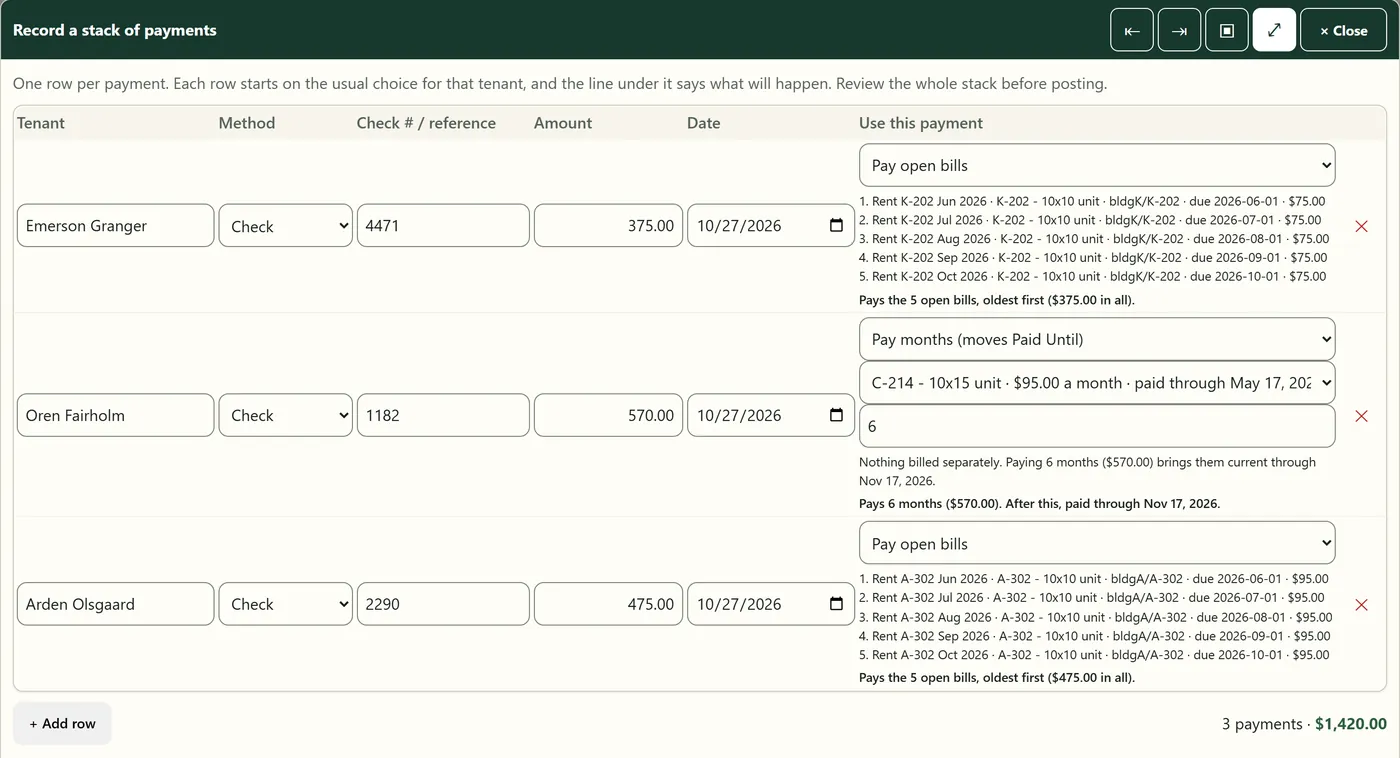
When the mail comes
One row per check. Each row says what it will pay, oldest bills first, before anything is posted.
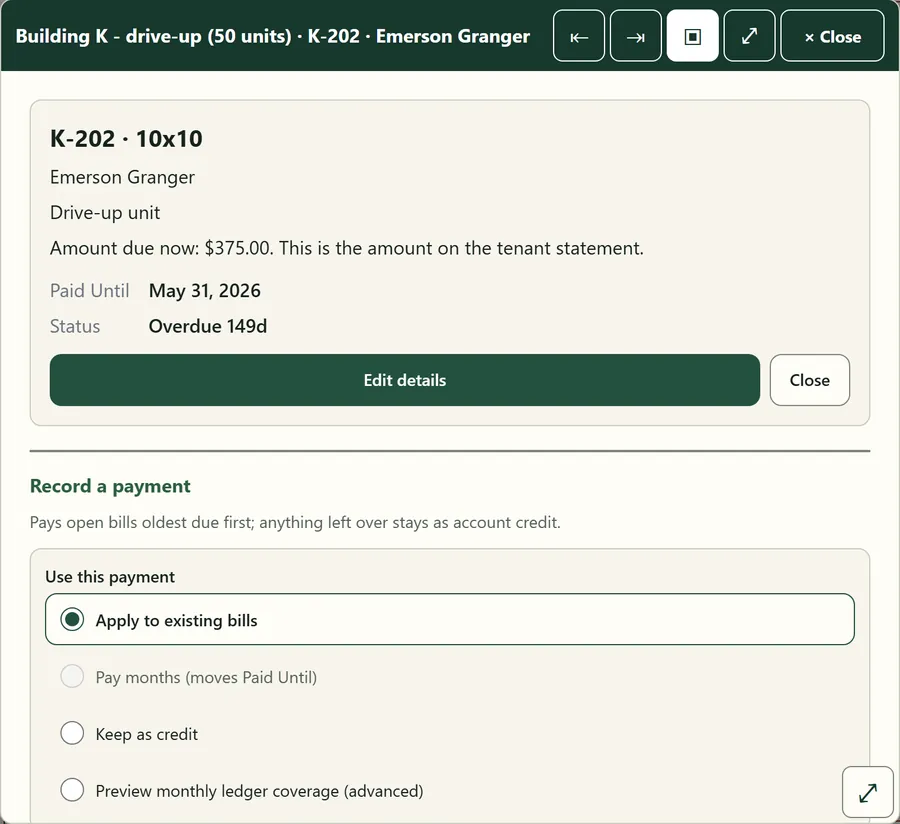
When a tenant calls
What they owe, their paid-until date and their history. The amount due matches their statement.
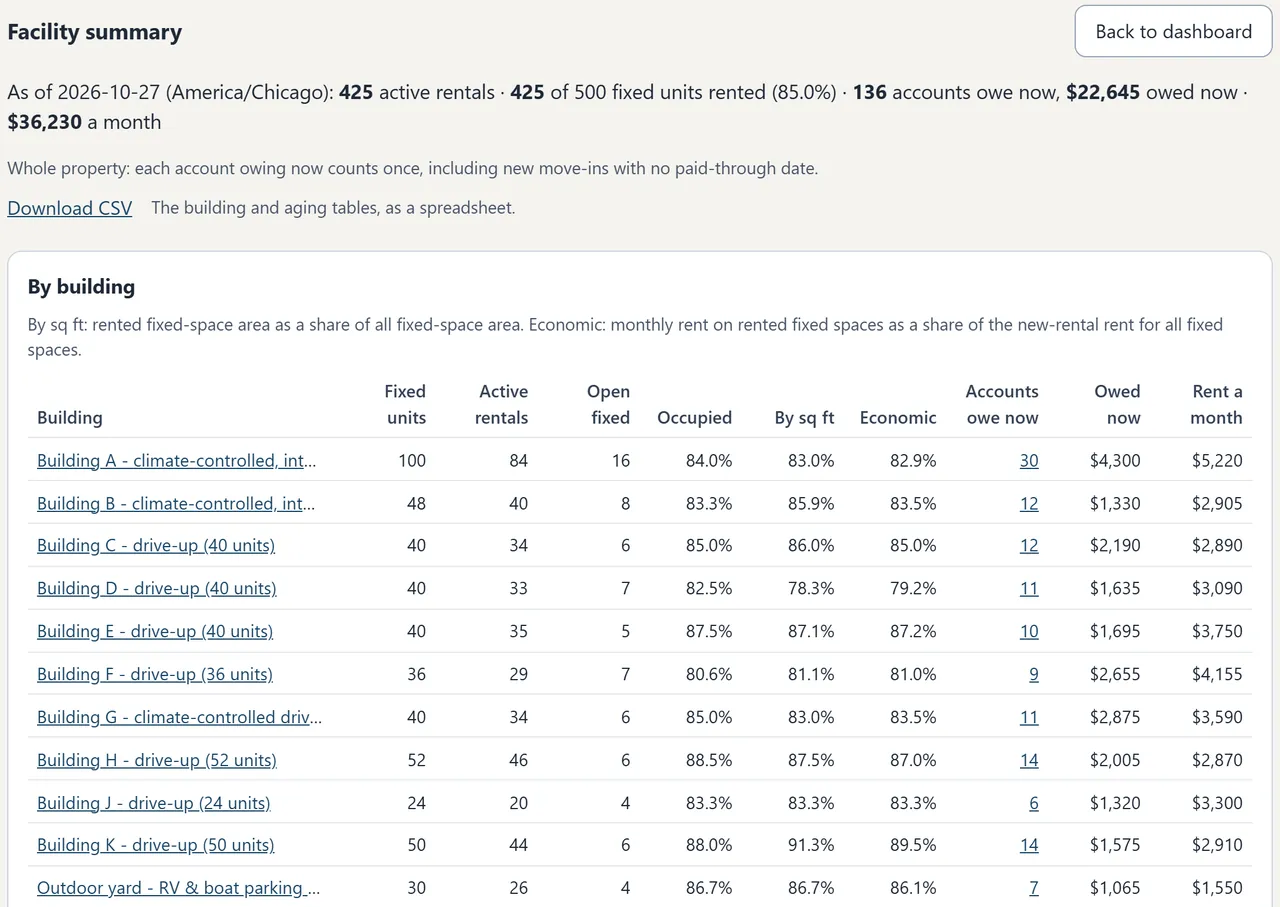
End of the month
Units, open units, occupancy and amounts owed for every building, with a CSV download of the tables.
One installation, as many people as you need, and no per-user charge.
See all featuresBen builds the property’s website and sets up BayRoster behind it, around the way you run the place.
See pricing and what is included$60 / month
Website + hosting + BayRoster. No per-unit charge, user charge or commission.
One-time setup is usually $1,000 to $4,000, with a fixed quote for your property. Moving your records is the biggest part of it. See what to send.
Ben Huffman built BayRoster to run his own storage lot in Thompson, North Dakota, and it still does. It has since been tested at the fictional 500-unit facility shown here. A single small lot runs on the same software.
Meet the person behind itThe public demo uses fictional customers. Explore the map and records, then tell me about your spaces, your billing, and what you need to make easier. The public demo has a booking page where you can try a booking. When booking is available, this demo uses TEST payments and made-up records. It cannot reserve a real space or charge real money.
The demo is a small mixed property. The screens above come from the larger test facility.
Demo password: anytown-demo